Give admin a better understanding on how to display daily hits or view website traffics over a period of days or months, keep track the number of page views by visitor from various countries, view various referers with number of clicks-in, and others. Browse to the respective topic at the menu section to view screenshots, step by step tutorials, and tips.
Walkthrough
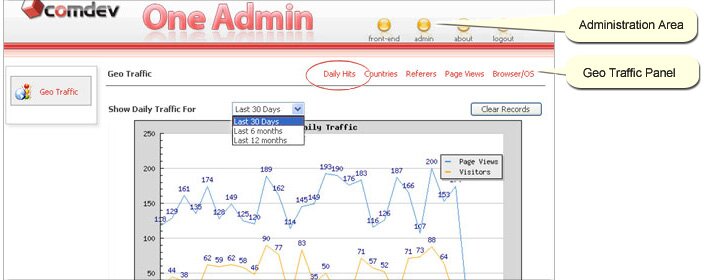
Daily Hits
With just a mouse-clicked, admin can view a graph illustrating daily hits or traffics derived over a period of days or months. Easily, clear statistic and recapture data from beginning. Click on 'Admin' > 'Installation' if the Geo Traffic has yet to install.
Countries
Keep track of your web user population including number of visitors from various countries that view related web pages over a period of months or for the month itself.
Referers
Web users can access particular web pages and website through many referers or Search Engines. Therefore, use Geo Traffic to trace different referers visit by users and display total clicks-in from each site over a period of months.
Page Views
List out the most viewed to the least viewed web pages of a domain over a period of months or for the month itself. A line graph will be displayed with total views for the last 30 days.
Browser / OS
View number of Web Browser and Operating System used by visitors when they visit specific website. A precise statistic is shown in percentage and view total Web browser and Operating System run in users desktop.