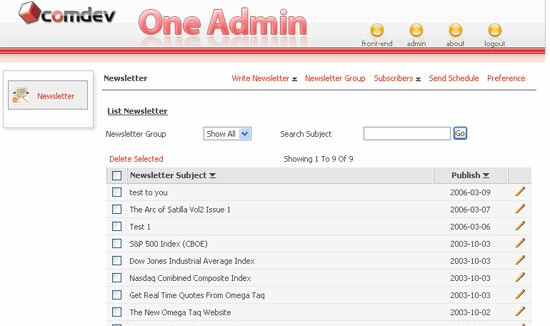
Newsletter > Documentation > Interface Overview
In this page, we will give you an overview of Newsletter interface which include the Newsletter work area and One Admin Panel. Work area consists of navigation links whereas One Admin panel are the modules pane and administration area.
Newsletter work area lets you perform data entry, save the data or any changes you've made and view result. You can create newsletter group to organize your newsletter and also to assign specific group for subscriber. On top of that, you can list out, sort, edit and test newsletter, send newsletter to multiple subscriber and auto-send newsletter base on the scheduled date. It also has a import mechanism to help you transfer all subscribers names, email addresses and other particulars to your database at once.
Navigation links allows you to navigate the entire work areas of Write Newsletter, Newsletter Group, Subscriber, Send Schedule and Preference. Each navigation link has different settings and functions that allows you to customize your Newsletter. Administrator or Moderator can navigate to different component easily because it is located on top of the work area.
One Admin Panel section includes the modules pane and administrator section. You can finish your work one after another where you can always switch from Newsletter to other component. It is very convenient and helps you save time to find the entire components link in one page, afterall the module pane is just located on your left.
Administration area can be accessed by Administrator only. He or she can change the information and settings, install component, re-arrange modules sequence in the menu area, manage user and define front-end CSS.
|
|
|